
Common Samsung Galaxy S6 Phone Trouble IssuesInformation TechnologyUpdated on Jan 19, 2017 View more like this | Visit MANCHESTER, NY | Contact SmartPhoneRepair |
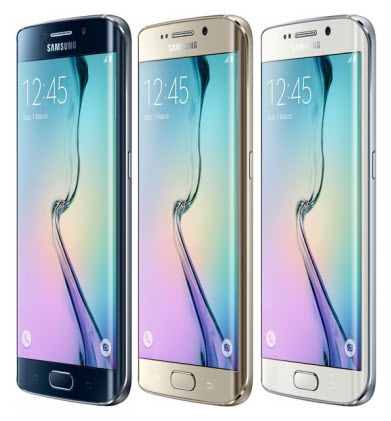
The Samsung Galaxy Repair S6 is an awesome phone. Although its design, features and power backup is impressive, but still, one can find many flaws in the Samsung Galaxy S6 phone model.
These flaws can also be found in other models of Samsung Galaxy Phones series. The Samsung repair issues and their respective repair solutions are similar most of the time.
Some of the common Samsung repair or trouble issues and their required fixing solutions are given below:
1) Restarting of Apps or Refreshing of Apps
Some people faced problem like any App gets refreshed or closed automatically.
Solution:
a) Disable or Uninstall any App which is not in use
b) Disable unnecessary memory consuming Apps from the phone, e.g. Facebook, Facebook Messenger etc.
c) Keep upgrading the Samsung Galaxy Phone to avoid any Samsung repair issues.
2) Poor Battery life
Samsung Galaxy S6 phone, quickly charges up and quickly drains also.
Solution:
a) One has to find, which app is eating up all the Battery from the Settings option and then, checking the Battery usage. One should turn off the maximum consuming app.
b) Go to the Settings > Application Manager and check the All tab list. Any non using App should be uninstalled or disabled from the phone.
If this does not help then, the device should be checked with any Samsung repair service centre.
3) Weak Signal Strength
Users have faced a very weak signal strength in Samsung phones like in Galaxy S6 and in other Samsung models.
Solution: Check into Settings, Mobile Networks, then to Networks mode and change to CDMA/ LTE mode. Sometimes Global option may also work for few models.
In some cases it is seen that CDMA option gives much better and stable signal connection than in LTE mode.
4) GPS not showing accurate result
Few people have complained about that they are not getting the accurate positioning as it should have to be. Also, some fitness app that tracks runs, steps, etc. are giving wrong results.
Solution:
1) Turn off the Power saving mode from the Setting option.
2) Tap on the Clear Cache from the Settings and Application Manager
3) Try installing the free GPS Test app, compare the results with another phone that also running the same app simultaneously. Sometimes, it can be a hardware fault for which only a reliable Samsung repair centre has to contacted with.
Theses are some of the Samsung phone repair issues which can be resolved by the user only. But if the problem is not sorted out, then it is advisable to take the faulty device to a trustworthy Samsung repair centre.
These flaws can also be found in other models of Samsung Galaxy Phones series. The Samsung repair issues and their respective repair solutions are similar most of the time.
Some of the common Samsung repair or trouble issues and their required fixing solutions are given below:
1) Restarting of Apps or Refreshing of Apps
Some people faced problem like any App gets refreshed or closed automatically.
Solution:
a) Disable or Uninstall any App which is not in use
b) Disable unnecessary memory consuming Apps from the phone, e.g. Facebook, Facebook Messenger etc.
c) Keep upgrading the Samsung Galaxy Phone to avoid any Samsung repair issues.
2) Poor Battery life
Samsung Galaxy S6 phone, quickly charges up and quickly drains also.
Solution:
a) One has to find, which app is eating up all the Battery from the Settings option and then, checking the Battery usage. One should turn off the maximum consuming app.
b) Go to the Settings > Application Manager and check the All tab list. Any non using App should be uninstalled or disabled from the phone.
If this does not help then, the device should be checked with any Samsung repair service centre.
3) Weak Signal Strength
Users have faced a very weak signal strength in Samsung phones like in Galaxy S6 and in other Samsung models.
Solution: Check into Settings, Mobile Networks, then to Networks mode and change to CDMA/ LTE mode. Sometimes Global option may also work for few models.
In some cases it is seen that CDMA option gives much better and stable signal connection than in LTE mode.
4) GPS not showing accurate result
Few people have complained about that they are not getting the accurate positioning as it should have to be. Also, some fitness app that tracks runs, steps, etc. are giving wrong results.
Solution:
1) Turn off the Power saving mode from the Setting option.
2) Tap on the Clear Cache from the Settings and Application Manager
3) Try installing the free GPS Test app, compare the results with another phone that also running the same app simultaneously. Sometimes, it can be a hardware fault for which only a reliable Samsung repair centre has to contacted with.
Theses are some of the Samsung phone repair issues which can be resolved by the user only. But if the problem is not sorted out, then it is advisable to take the faulty device to a trustworthy Samsung repair centre.
