
iOS apps will require iPhone X Native Support from nowTechnology Research & DevelopmentUpdated on Apr 2, 2018 View more like this | Visit India, UN | Contact Konstant Infosolutions |
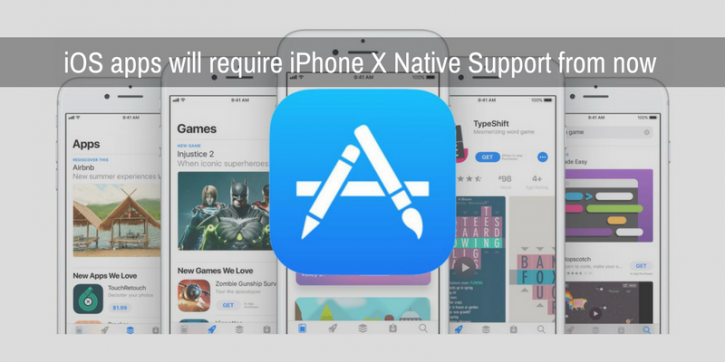
It’s no news that Apple keeps screws tight on iOS developers so much so that its ecosystem is often portrayed as a walled garden where Apple rules with an iron fist. Now, in the last few months, Apple has introduced three major changes-
• It has a new, evolved flagship- iPhone X
• It has released SDK 11
• It has overhauled the App Store with a new design
And it is only natural that it is now expecting the developers to share the same enthusiasm- partly to help them extract the most out of these changes and partly to deliver users a more unified and engaging experience.
To achieve that, it has released a new set of guidelines that go into effect from April 2018. Here are the highlights:
Apple now requires all apps to be updated for the Super Retina display of iPhone X and the same to be reflected on their product page as well. The apps must support adaptive layouts, respect safe areas, and address all UI related issues to ensure it looks perfect on the new device.
It also requires all developers to upload the screenshot of their app running on device and has released detailed instructions for the same.
The screenshots must have a resolution of 1125 by 2436 in portrait mode and 2436 by 1125 in landscape orientation.
The screenshots must be taken on an iPhone X or Xcode 9.0.1 iPhone
The screenshots must not be modified. The rounded corners would automatically be applied after uploading
If the home indicator is visible in the screenshot, leave it be.
For better results, avoid adding texts near the corner or placing the screenshot inside a hardware device image.
That’s not it. There are also a few other guidelines including:
All applications from April 2018 onwards must be built using iOS 11 SDK. You can get the latest release of Xcode 9 on Mac App Store that includes SDK 11.
As the new SDK contains many new prominent features like ARkit, Core ML, multitasking for iPad, among others, Apple encourages developers to make the most out of these new technologies. And if they choose to do, they are required to follow the best practices and do thorough tests before the final release.
Since the App Store is designed to deliver customers with apps compatible with their device, iPhone app developers are now also required to update the device requirements for their apps in information property list.
App Store icon, which was previously part of iTunes Connect, has now to be included in the project bundle itself starting Xcode 9.
So, whether you are a developer yourself or are looking for an iPhone app development agency, make sure the development procedure is updated to incorporate all of these changes to reflect the best of your product.
• It has a new, evolved flagship- iPhone X
• It has released SDK 11
• It has overhauled the App Store with a new design
And it is only natural that it is now expecting the developers to share the same enthusiasm- partly to help them extract the most out of these changes and partly to deliver users a more unified and engaging experience.
To achieve that, it has released a new set of guidelines that go into effect from April 2018. Here are the highlights:
Provide Native Support for iPhone X
Apple now requires all apps to be updated for the Super Retina display of iPhone X and the same to be reflected on their product page as well. The apps must support adaptive layouts, respect safe areas, and address all UI related issues to ensure it looks perfect on the new device.
It also requires all developers to upload the screenshot of their app running on device and has released detailed instructions for the same.
The screenshots must have a resolution of 1125 by 2436 in portrait mode and 2436 by 1125 in landscape orientation.
The screenshots must be taken on an iPhone X or Xcode 9.0.1 iPhone
X simulator
The screenshots must not be modified. The rounded corners would automatically be applied after uploading
If the home indicator is visible in the screenshot, leave it be.
For better results, avoid adding texts near the corner or placing the screenshot inside a hardware device image.
That’s not it. There are also a few other guidelines including:
Use iOS 11 SDK
All applications from April 2018 onwards must be built using iOS 11 SDK. You can get the latest release of Xcode 9 on Mac App Store that includes SDK 11.
Optimize For the New Features
As the new SDK contains many new prominent features like ARkit, Core ML, multitasking for iPad, among others, Apple encourages developers to make the most out of these new technologies. And if they choose to do, they are required to follow the best practices and do thorough tests before the final release.
Update device compatibility
Since the App Store is designed to deliver customers with apps compatible with their device, iPhone app developers are now also required to update the device requirements for their apps in information property list.
Add your App Store icon
App Store icon, which was previously part of iTunes Connect, has now to be included in the project bundle itself starting Xcode 9.
So, whether you are a developer yourself or are looking for an iPhone app development agency, make sure the development procedure is updated to incorporate all of these changes to reflect the best of your product.
